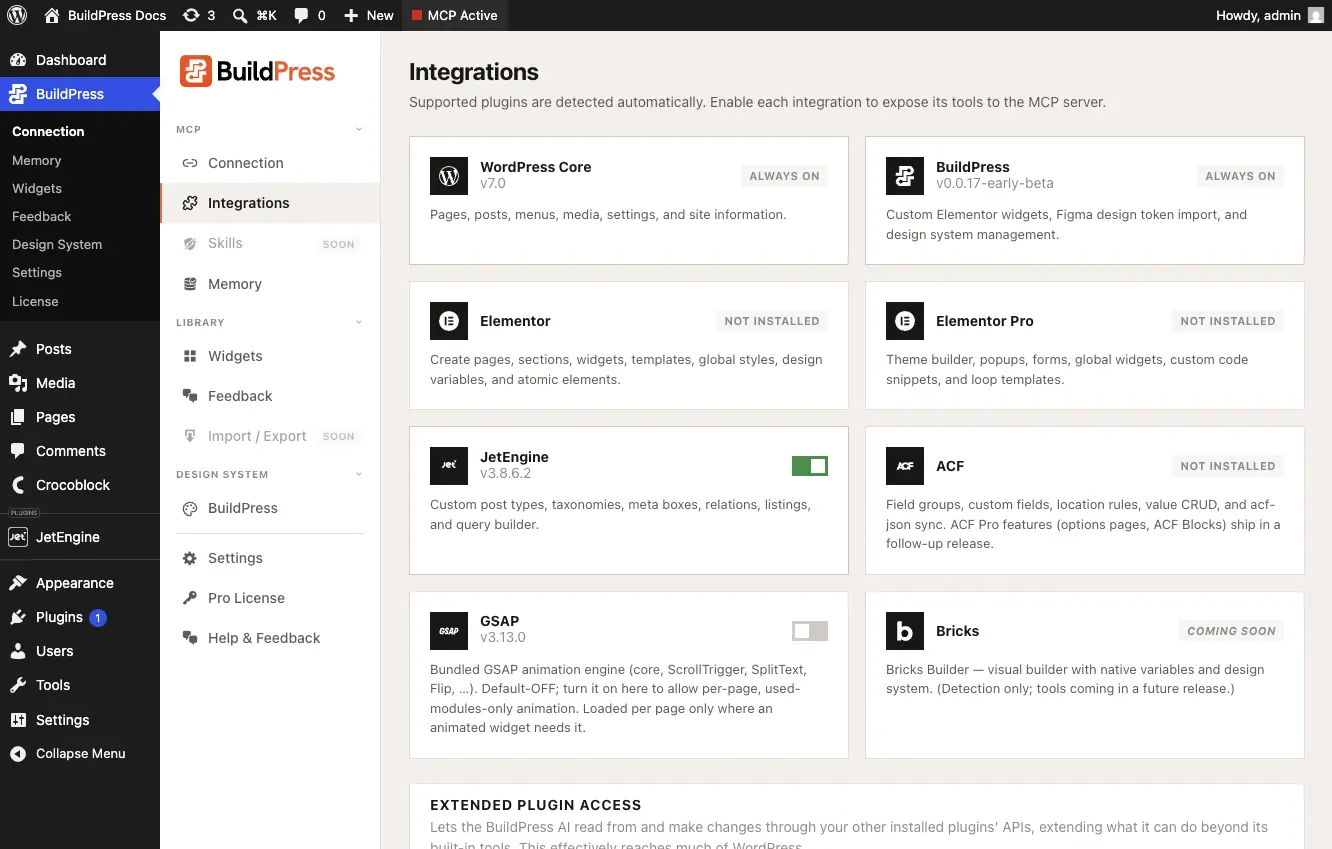
Integrations Overview
Deep, purpose-built integrations for your stack, plus REST passthrough for everything else.
BuildPress does not replace your plugins. It gives your AI real control of them. Each integration is a group of tools your AI uses over the same MCP connection, auto-detected from the plugin you have active, with no BuildPress account and no external API in the loop.
Every integration runs through one connection: your AI client talking to the MCP server inside your own WordPress at https://your-site.com/wp-json/buildpress/v1/mcp. An integration only registers its tools when its dependency plugin is active on your site, so your AI sees exactly the capabilities your stack actually supports. REST Passthrough is the one exception: it is always loaded so your AI can reach anything else.
The integrations
- WordPress Core: your AI manages the site itself, not just a page builder, and debugs its own work. Always on.
- Elementor and Elementor Pro: pages built from real, reusable widgets bound to your design tokens, never a hardcoded hex value. Pro adds the whole Theme Builder, popups, forms, and loop grids, in conversation.
- JetEngine: describe the content your site needs, and your AI models it end to end. Custom post types, relations, queries, and listings, with no code.
- ACF: structured content your AI can scaffold and fill, without the usual key-vs-name footguns.
- Figma: your design system flows from Figma into WordPress, with every change previewed first.
- GSAP: a professional animation engine in the box. Turn it on from the Integrations screen, then ask for motion in plain English.
- REST Passthrough: for everything else on your site. You decide what your AI is allowed to touch.
For anything without a dedicated integration, REST passthrough drives any plugin that registers REST routes (WooCommerce, Gravity Forms, WPForms, Yoast, Rank Math, and more). It discovers your site's REST namespaces automatically, and you control reads and writes independently from its admin page, so you decide what your AI may touch.
How a session uses them
You never pick an integration by hand. You talk in plain English, and your AI pulls in exactly the tools the task needs across whichever integrations are active. A single page build might touch WordPress Core, the active builder, and your design system in one pass.
- "Build me a homepage with a hero, a 3-column features section, and a contact CTA, using my design system."
- "Create a Properties post type with price, bedrooms, and a photo gallery, then build a listing grid of the newest ones on the homepage."
- "Import my design system from this Figma file, then use it to build an about page."
- "List my WooCommerce products and tell me which are out of stock."