
Design System
One canonical token store for colors and typography, mirrored into your builder.
Your design truth lives in one canonical, BuildPress-owned store: colors and typography (plus spacing, radius, and shadow on the BuildPress Builder). That store stays the single source of truth no matter which builder you use, so the same tokens drive every widget on every page.
One source of truth
Every writer that touches your design goes through one choke point. It writes the canonical store first, then pushes that snapshot into the active builder. On Elementor it mirrors into the Elementor Kit globals (--e-global-color-* and --e-global-typography-*). On the BuildPress Builder it mirrors into block-editor presets (--wp--preset--* pointing at the canonical --buildpress-* variables).
Because widgets bind to those token variables and never to raw values, one token edit re-themes the whole site. Change your primary color once and every hero, button, and card that uses it follows. Only the active builder is written. A dormant builder is never touched, so switching builders later never overwrites tokens you set elsewhere.
Why no hardcoded values
BuildPress never writes a raw hex or px into a widget. Every color and type setting points at a token, which is what makes a single edit re-theme the site instead of forcing a hunt through every page.
Three ways to set it up
Three writers feed the same canonical store. Pick whichever matches where your design already lives.
- The AI design interview at setup. Your AI runs one purpose-fit interview in a single response (project, purpose, audience, color references, type references, logo, sites you like), then builds a system sized to that direction. A calm SaaS and an editorial site do not get the same scale. It applies the tokens and reports back every color (name and value) and every type setting (name and size per breakpoint).
- Importing from Figma. Read colors and text styles from a Figma file and apply them, with a diff you approve before anything is written. See Figma import for the full pipeline.
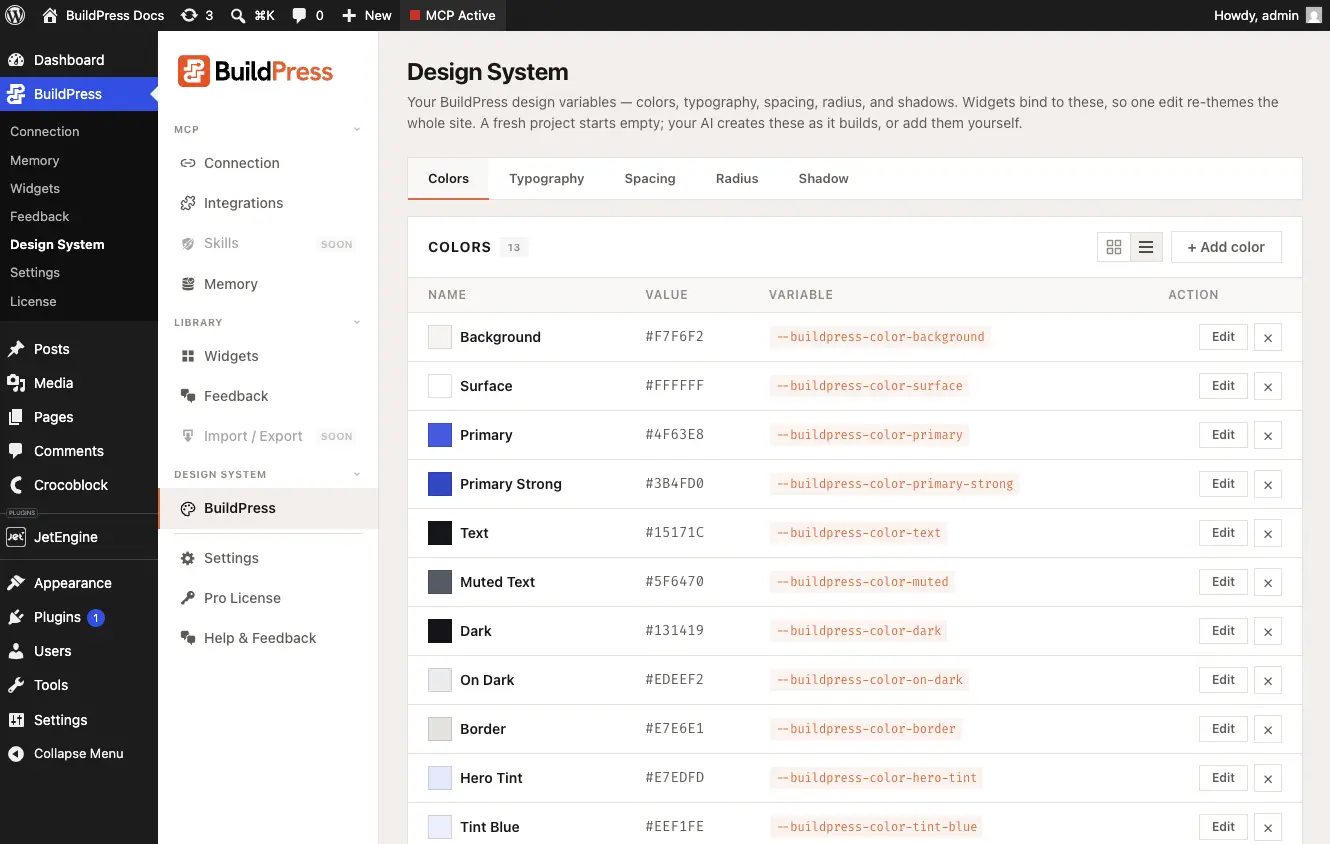
- The Design System admin page. WordPress Admin to BuildPress to Design System is a direct writer into the store. Set or adjust tokens by hand and the same push into the active builder runs.
Design direction
Tokens are the palette. The design direction is how to wield them. It is a small descriptor stored in Project Memory: purpose, personality (think calm SaaS versus typography-led editorial), mood, references, and audience. Your AI reads it on every later build, so the look stays coherent without you re-explaining the brand each session.
Set up my design system. It's a SaaS called Lumen for finance teams, calm and modern, primary like Stripe's indigo, Inter for everything, no logo yet. Sites I like: Linear, Vercel, Stripe.If you hand-edit tokens in the builder
If you change a token inside the builder's own panel (for example, editing a global color directly in Elementor), that is drift. Your AI never silently overwrites your hand-edits on the next push. It withholds the push and asks one question:
- Pull these changes into BuildPress. Your edits are adopted into the canonical store and become the new truth.
- Restore BuildPress's version. BuildPress pushes its stored tokens back over the builder edits.
Setup is just as safe. When you already have tokens, your AI never wipes them. It offers Keep, Extend, or Replace, so importing or re-running the interview cannot silently erase a palette you care about.
Keep your edits, or roll them back
Drift is a prompt, not a loss. Pull adopts your builder edits into the central store; restore puts BuildPress's version back. Either way nothing is overwritten without your answer.
Example prompts
- "Build a design system from a description: warm, editorial, serif headings, generous spacing."
- "Use my existing site's colors and type for the design system."
- "Set my primary to a deep indigo and switch headings to Inter, then show me every token you changed."
- "Import my design system from this Figma file, and don't wipe the tokens I already have."
- "I changed a global color in Elementor by hand. Pull that into BuildPress."
The design system must be ready before any page build. If it is not, a build play stops and routes you here first. Once your tokens are in, every build binds to them automatically. For the import path, see Figma import.