
The BuildPress Builder
The native, block-backed default builder, and how Elementor stays selectable.
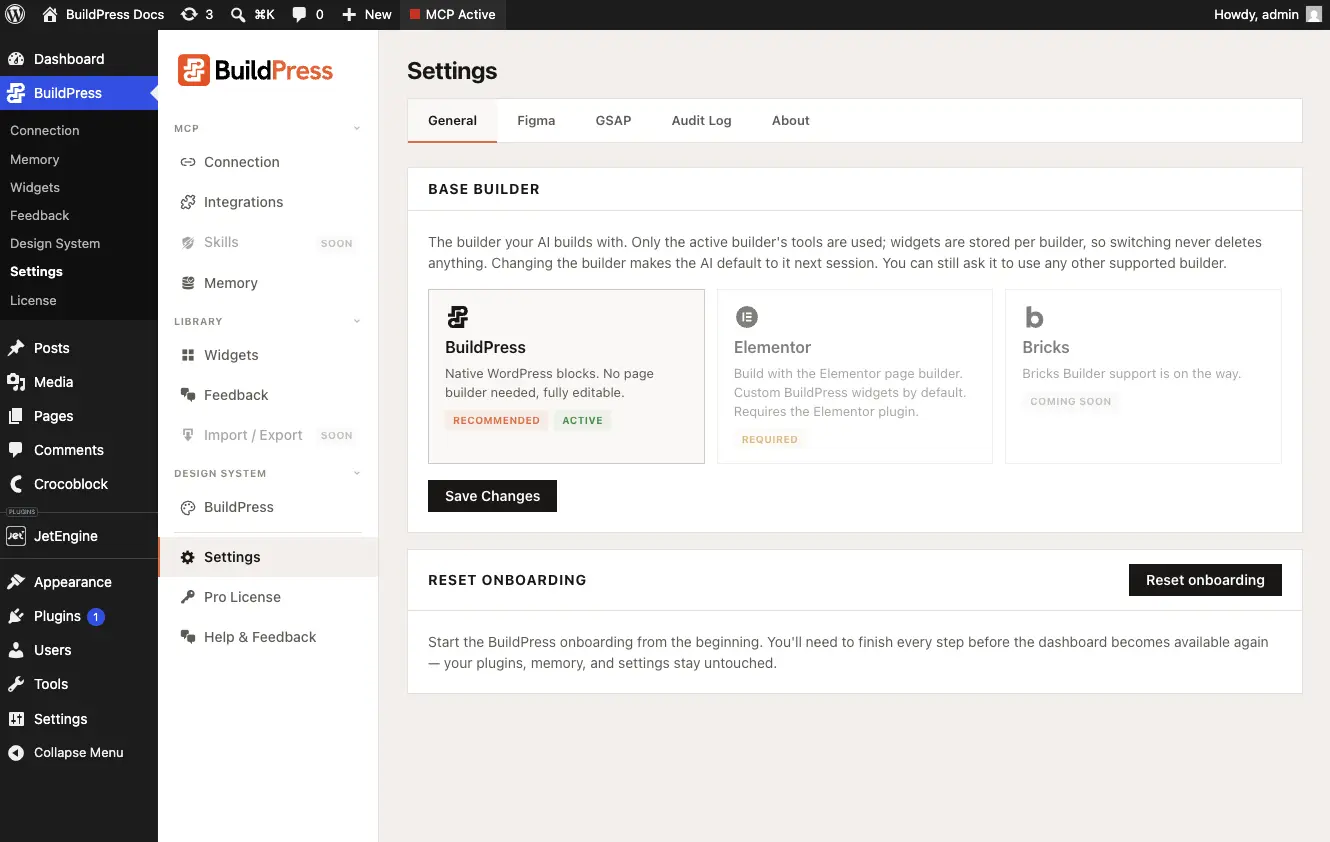
Exactly one base builder is active at a time. You choose it during onboarding, and you can change it later in Settings. The active builder decides which build tools are live and where your widgets and tokens live.
BuildPress Builder (the default)
The BuildPress Builder is block-backed and native to WordPress. It needs no third-party page builder, and it works the moment the plugin activates. The Settings copy reads: Native WordPress blocks. No page builder needed, fully editable.
Each BuildPress-builder widget is a dynamic, server-rendered block. Because the block renders on the server, an AI edit to a widget updates every instance of that widget, on every page, with no breakage. You do not chase the same change across ten pages by hand.
- Block-backed and native: nothing extra to install, active as soon as the plugin is.
- Server-rendered widgets: edit one widget, every instance updates together.
- Token-bound: colors and type bind to your design tokens, never raw hex or px.
- Durable render: built pages keep rendering even if BuildPress is deactivated. Rendering pauses until you reactivate, then resumes.
New to widget-first composition? See widget-first builds for how a page is assembled from named, reusable section and header or footer widgets.
Elementor
Elementor is selectable when the Elementor plugin is installed and active. With Elementor as your base builder, the AI builds with classic widgets by default. It uses atomic and V4 widgets only when you explicitly ask for them.
For the full Elementor and Elementor Pro capabilities, see the Elementor guide.
One active at a time
Only the active builder's tools and knowledge are live. The other builder stays dormant even if its plugin is installed. Each builder keeps its own design tokens and its own widget library.
- Switching copies nothing between builders, and it deletes nothing. Your widgets and tokens stay on your site under their own builder.
- Already-built pages keep rendering after a switch. They do not break or disappear.
- The switch takes effect on the next session, not mid-conversation.
- 1
Open Settings
In WordPress, go to BuildPress, then Settings, then the General tab.
- 2
Pick your base builder
Choose the BuildPress Builder or Elementor. Elementor is only selectable when the Elementor plugin is active.
- 3
Start a new session
Save the setting, then start a fresh session with your AI so the new builder's tools load.
To confirm which builder is live, paste this to your AI: Which base builder is active right now, and what can you build with it?