
Project Memory
Persistent per-site context so you never re-explain your brand or preferences.
Project Memory is persistent context stored in your own WordPress database and injected into every session. Your AI loads it at the start of each conversation, so you never have to re-explain your brand, your stack, or how you like things built.
Memory lives on your server, not in a BuildPress cloud. It is durable across sessions and across clients. Switch from one AI client to another and the same context comes along, because it travels with the site, not the conversation. See how it works for where memory sits in the build flow.
What it remembers
- Site identity: your business, your audience, the purpose of the site, and your brand voice.
- Design preferences and your design direction (the personality and mood behind your tokens).
- Tech-stack and dev preferences, for example which builder you use or that you always reach for ACF.
- Free-form notes you want kept around.
- Your must-follow instructions, the rules you want applied on every build.
- An auto-maintained log of what has been built (decisions, inventory, and content model), so your AI knows what already exists before it adds anything.
Three kinds of entry
Every entry in memory falls into one of three classes. The difference is who is allowed to write it.
- Facts: what is true about your project right now. Your AI writes these automatically after a successful action, so the picture stays current as your site grows.
- Project context: durable settings you chose, like your base builder or your preferred field plugin. These are yours to set, and your AI can update them with your consent.
- Instructions: rules you want followed on every build. These are user-only. Your AI reads them and obeys them, but it can never write or change them.
Why instructions are user-only
Instructions are the one place your rules cannot drift. Because the AI can read them but never edit them, a rule you set today is the same rule next month, no matter how many sessions run in between.
Unlimited, with one safety limit
Project Memory entries are unlimited. The only cap is a safety limit of 2000 characters per entry, which stops anyone packing a huge blob into a single row. Structured system rows, like the build log and inventory, are exempt from that limit. There is no per-plan cap and no entry meter to worry about.
Manage it
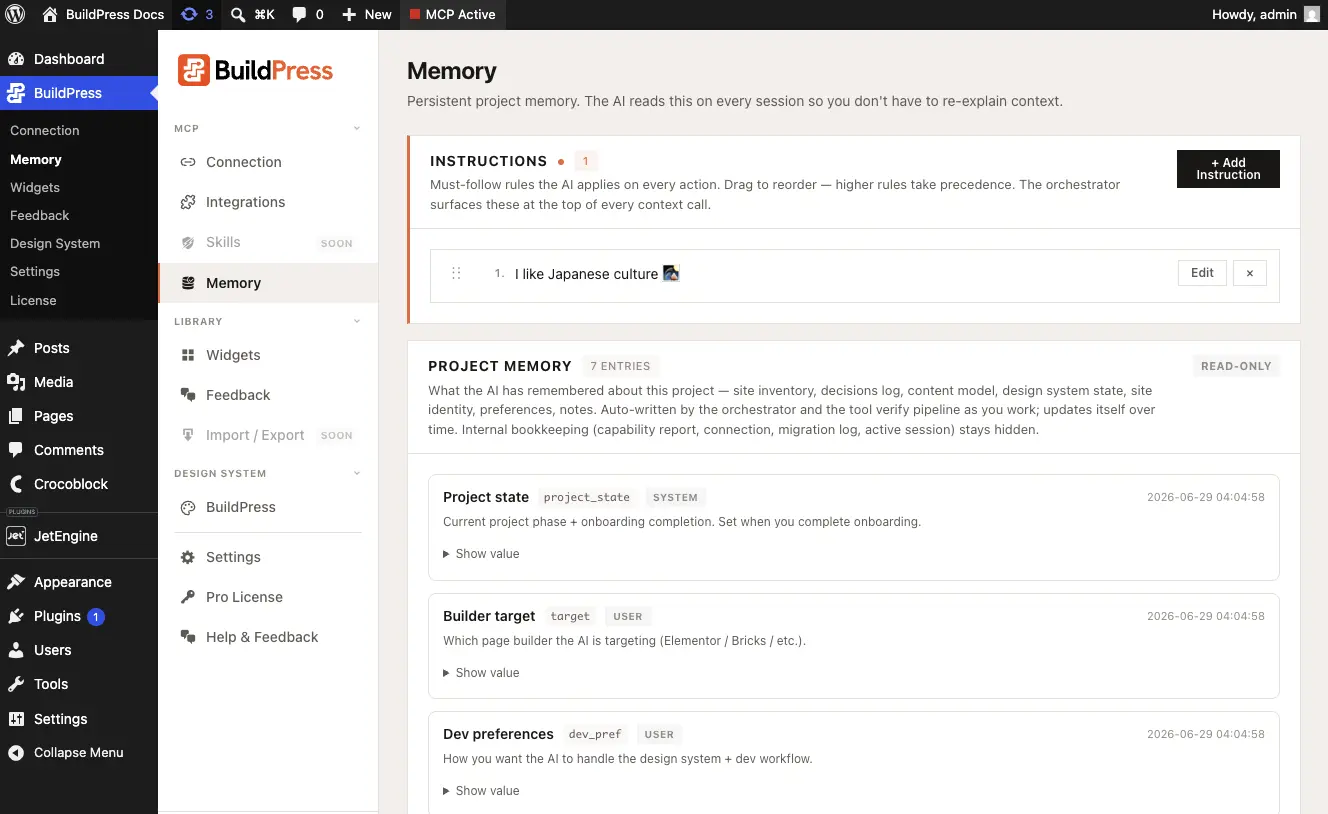
Open BuildPress -> Memory in your WordPress admin. The page has two sections.
- Instructions: your must-follow rules. Drag to reorder them. Whatever sits here is surfaced at the top of every AI session.
- Notes & preferences: free text for notes, design preferences, and site identity. This is where the durable context about your project lives.
Memory survives uninstall
The memory table is intentionally kept when you remove the plugin. Uninstall and reinstall BuildPress and your project context is still there. It is your data, in your database.
Talk to it in plain English
You do not need the admin page to use memory. Tell your AI what to remember and it writes the right kind of entry. Ask it what it knows and it reads memory back to you.
Save a preference so every future build follows it:
Remember that our brand voice is professional and we always use ACF for custom fields.Check what your AI already has on file:
What do you remember about my project?Your AI also records facts on its own as it builds, so the log of what exists stays accurate without you prompting it. Memory feeds straight into the design system and every later build, which is what keeps a new page on-brand without a fresh briefing each time.