
Dynamic Templates
Design a page once and let every post, archive, and 404 use it, with the content filling in automatically.
Some pages are not one-offs. Every blog post shares a layout, every product looks the same, every category page lists things the same way. A dynamic template lets you design that layout once and reuse it for all of them. You build one blog-post template, and every post you publish renders in that design with its own content already in place.
You never build those pages by hand again. Write the template, and BuildPress handles every matching page for you, so publishing a new post is all it takes for its page to exist, on-brand and ready.
What you can template
There are three kinds, one for each type of repeating page:
- Single: the page for one item, like a blog post, a product, or any custom content type. Design it once and every item of that type uses it. (Your regular pages are left alone, since each one is its own design.)
- Archive: a listing page, like your blog index or a category page. It shows your posts in a real, always-current list, so publishing or removing a post updates the listing on its own.
- 404: the page a visitor sees when a link is broken or the address does not exist. Give it your branding and a way back instead of a bare error.
The design stays, the content changes
A template is a design with live slots. You lay out the title, the featured image, the body, a details row, whatever the page needs, and each slot fills itself from the item being shown. Open one blog post and the slots hold that post's title and image. Open another and the same design shows the next post's content. You design the frame; your content flows into it.
That live content can be anything attached to the item: its title, excerpt, and featured image, its author and date, or custom fields you have added with ACF or JetEngine. You do not wire any of that up by hand. Describe what the page should show and your AI connects the slots for you.
You decide where each template applies
A template only takes over the pages you point it at. That is how BuildPress knows to use one design for blog posts and a different one for products, or which template owns your blog index. You can aim a template at:
- A whole type, such as every blog post or every product.
- A category or tag, so one design covers all of its posts.
- A single item, like one specific post you want to stand out.
- Your blog index, or the 404 page.
When two templates could apply, the more specific one wins. So you can keep a general design for all your posts and add a special one for a single featured post, and each shows up exactly where you meant it to.
Templates follow your design system
Because a template styles a whole class of pages, it uses your design system just like everything else BuildPress builds. Set your design system up first: without it, the pages would render plain and generic, so BuildPress asks for one before it creates a template.
Templates or saved patterns?
It is easy to mix these up, so here is the difference. A saved pattern is a layout you keep and drop into a page when you want it, a starting point you then edit. A dynamic template is automatic: it takes over every page that matches, with live content, and you do not place it anywhere. Reach for a pattern to reuse a look; reach for a template to run a whole class of pages from one place. See widget-first builds for patterns and your widget library.
How to use it
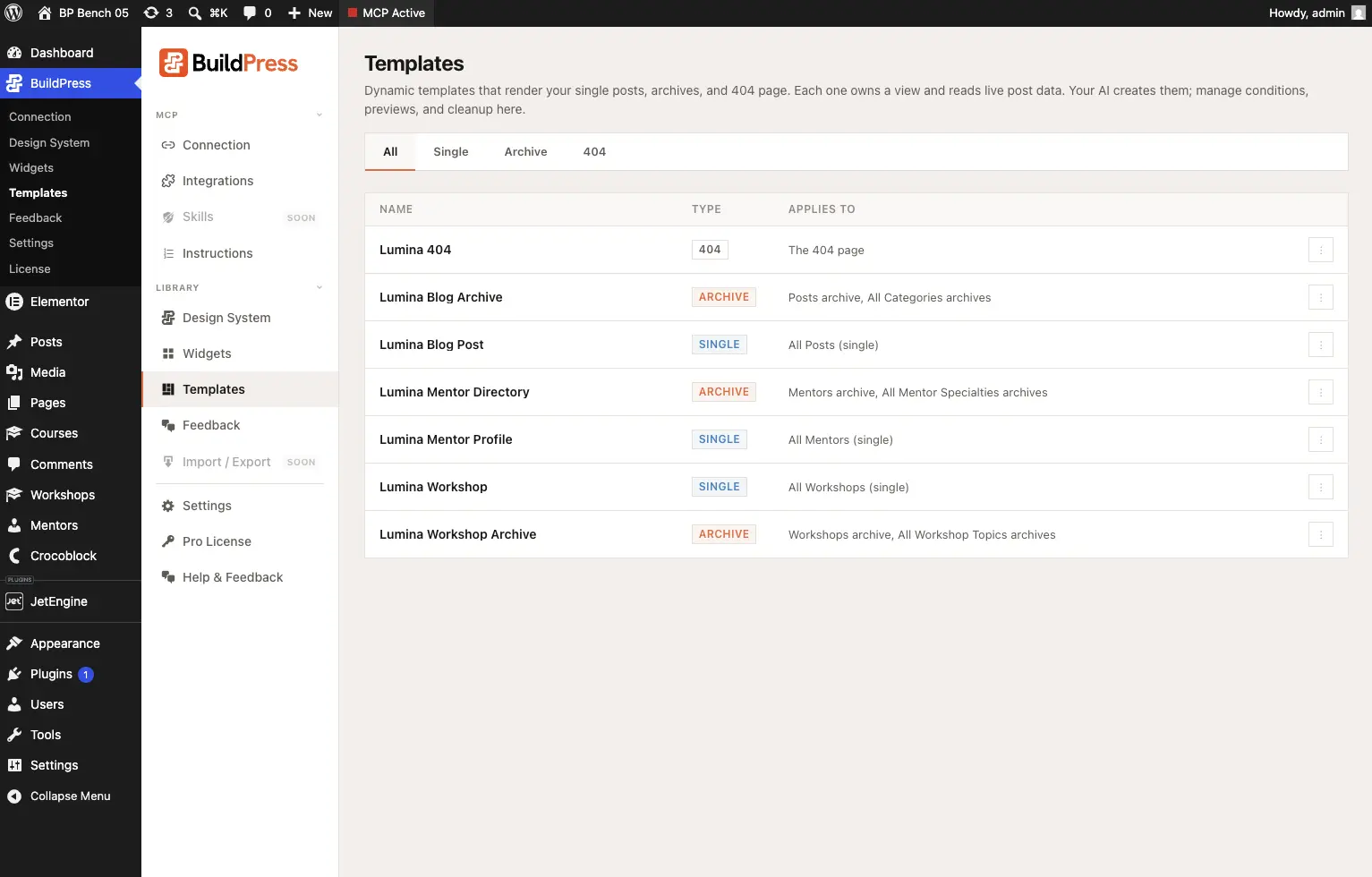
You create templates by asking, in plain English. Tell your AI the page you want and what it should show, and it builds the template, fills in the live content, and sets where it applies. You can see and manage everything at WP Admin -> BuildPress -> Templates, where each template shows its kind and the pages it covers.
Design the page every blog post will use:
Design a template for my blog posts: the title, featured image, a date and author row, then the post content, in my brand style.Give broken links a friendly landing:
Create a 404 page with a short friendly message and a button back to the homepage.